Although I’m not a huge user of Photoshop or other photo editing applications, I find myself increasingly experimenting with the capabilities of these programs.
I use Photoshop Elements 6, a pared down version of the full Adobe Photoshop set up. Even so, I don’t come close to using all of the tools that are available. Also, Elements costs a fraction of the full Photoshop price.
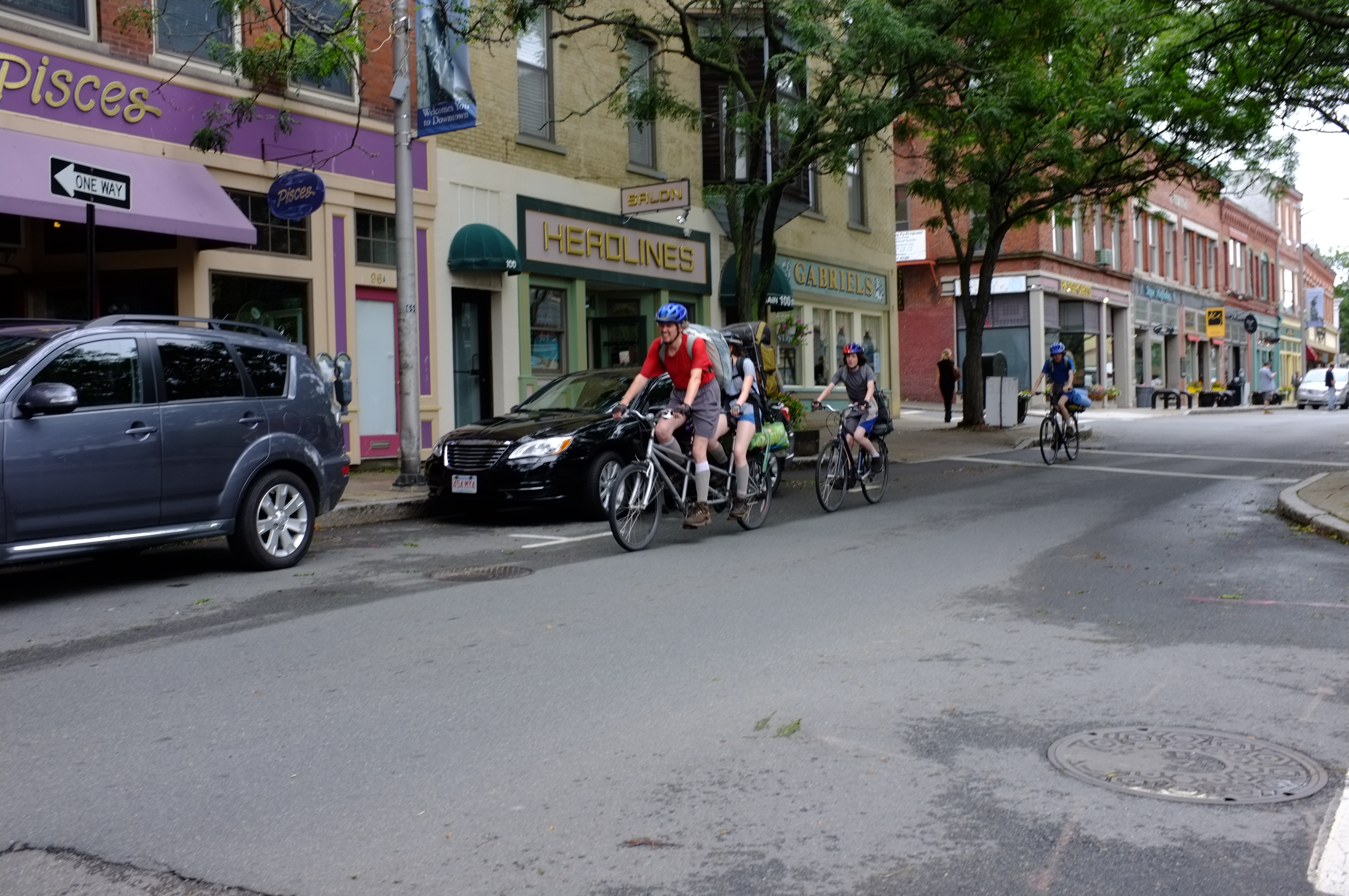
The photo was made with my Fuji X100, at 1/220 sec, f5.6 with ISO set at 200.
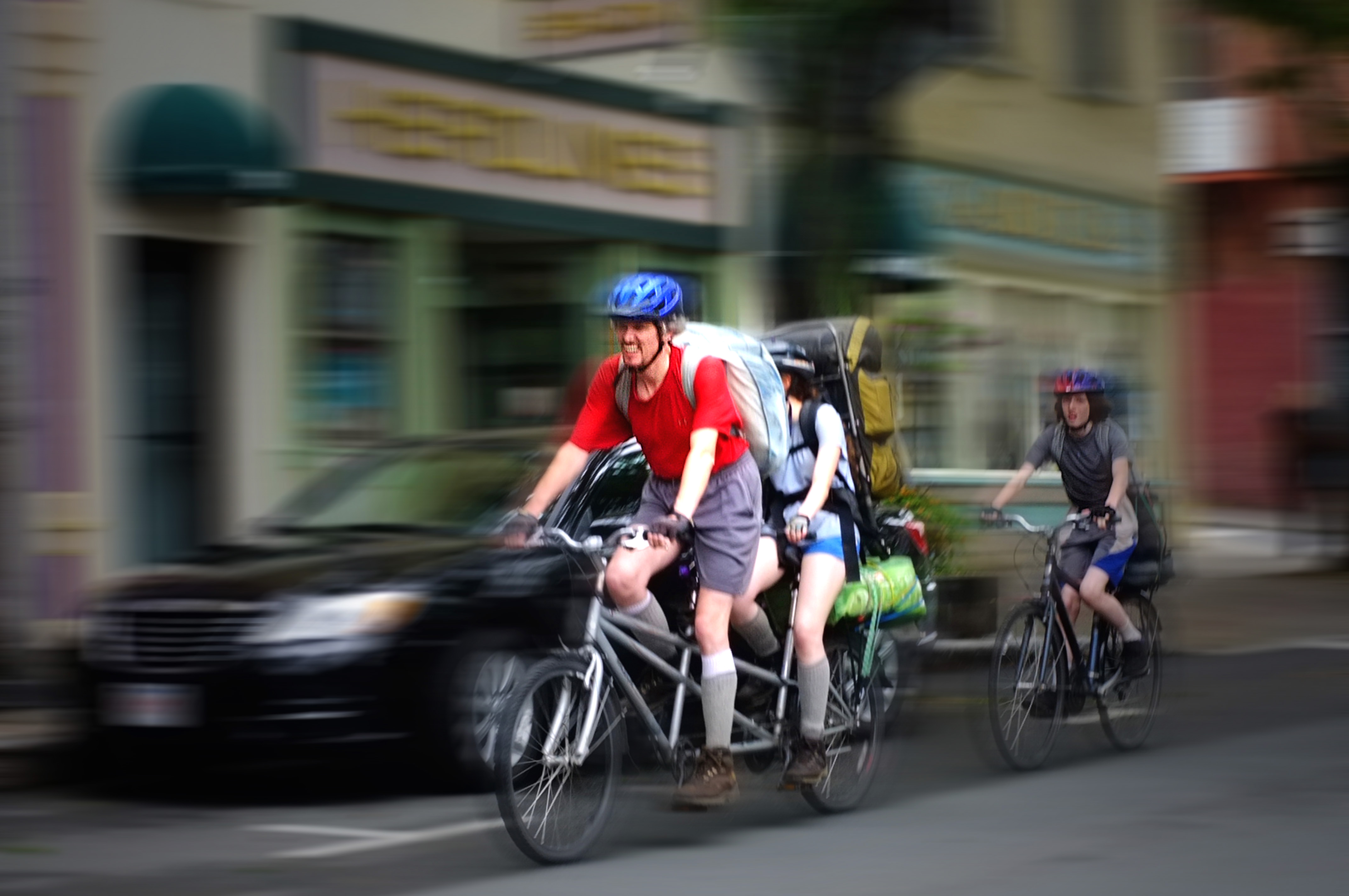
As you can see, the original image was pretty ordinary and quite bland. I wanted to spice it up by conveying a feeling of speed, movement and excitement.
Step 1: I opened the image in Elements 6 and immediately duplicated the original image so I wouldn’t loose the original if I pushed the wrong button. Who says we don’t learn from experience?
Step 2: I wanted to focus attention on the tandem bike riders, so I made a substantial crop thereby eliminating some distracting background and enlarging the image of the bikers.
Step 3: Then, I carefully used the magnetic lasso tool to select the the riders and the bikes. It actually took 3 attempts to get the selection close to what I wanted. I clicked “inverse” in the select menu to keep the bikes in focus.
Step 4: With everything but the bikes and riders now selected (that’s what “inverse” does), I went to filters/blur/motion blur and applied a modest amount of that effect.
Step 4: To further accentuate the bikes and riders I slightly darkened the background (enhance/lighting/brightness contrast)and lightened the tandem riders and bike (filters/render/lighting effects/omni). I also goosed the color saturation a little and tried (without huge success) to sharpen the face of the man on the tandem.


 Good Morning Gloucester
I think it came out great and really appreciate the detailed instructions to try to recreate a similar look.
Jenn
LikeLike
Thanks for sharing that – I was wondering yesterday when I saw the post what camera settings could make that effect. I now really appreciate the pic even more, seeing the ‘before.’
Leave it to good ol’ photoshop. I’ve used that app in the past in a tech writing job I used to have.
It’s actually a great tool and you can do some fun things with it.
LikeLike
nice job, will try it…thanks for instructions
LikeLike