The GloucesterCast Podcast Episode 4 With Guest Bill O’Connor From NorthShoreKid

Download the Podcast Directly Here image

Bonus Podcast- Host Joey Ciaramitaro Talks To Bill O’Connor About Things To Do With Children On the North Shore.  If you are one of the many parents looking for something to do with your child during February vacation Bill offers up dozens of suggestions in this podcast we did spur of the moment.  I’ll be taping our podcast Thursday with my regular co-host Kenny.

Click the Image to go to NorthShoreKid

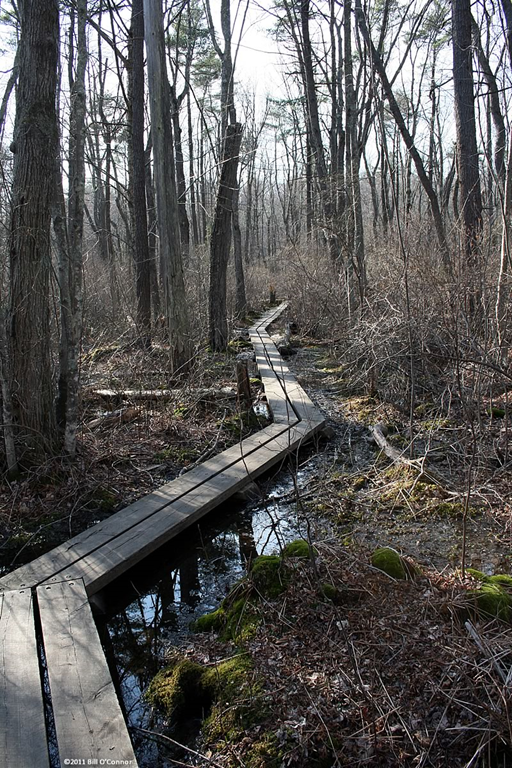
Magnolia Swamp Board Walk Photo from Bill O’Connor

Hey Joe,

Here’s a picture of the Magnolia Swamp Boardwalk in Ravenswood Park that was mentioned on your 2nd podcast this week.  This property is now owned and maintained by the Trustees of Reservations.  I took this picture last year on April 7th , 2010.  I remember it was a really warm day for the season (a record at 88°F). 

This board walk is pretty sturdy (the boards are roughly 3” thick), sits about 8” above the surface of the swamp, and gives a great vantage point for spotting frogs eggs and watching swamp critters.  It runs somewhere between 500 to 600 feet across the swamp.  You have to cross another board walk further up the trail to get back across the swamp. 

This is a great walk through the woods any time of the year, but in the early Spring there are no bugs yet, and you have a better chance of seeing other animals through the woods due to the lack of foliage. The trail that leads to the boardwalk is a fun little adventure, with one or two neat surprises on the way.  At least it was for my two year old son, who was with me that day. The trail on the other side is pretty cool, too, with a lot of interesting things to see. In some spots the path narrows and  winds along the edge of the swamp. It kind of feels like you’re walking in a scene from the Lord of the Rings, and you’re half expecting to see a Hobbit poking along the trail ahead of you.

It’s definitely worth a visit when the weather breaks.

Enjoy,
~Bill O’Connor
North Shore Kid

image

The North Shore/Salem YMCA Could Use Your Vote

image

Hey Joe,

The North Shore/Salem YMCA is in the running for $50k in funding from Pepsi’s Refresh Everything Campaign, and they need people to vote.  The funds will be used to renovate an existing space to create a Youth Creative Arts Center at the Salem Y.  Voting ends tomorrow and you can vote with your Facebook account.  Can you help spread the word – if they win this $50k will benefit a lot of kids on the North Shore.

http://northshorekid.com/story/50k-grabs-salem-ymca-needs-your-vote

Thanks,
~Bill O’Connor
North Shore Kid

Drilling Down n The Perfect Set Of Favicons Part III

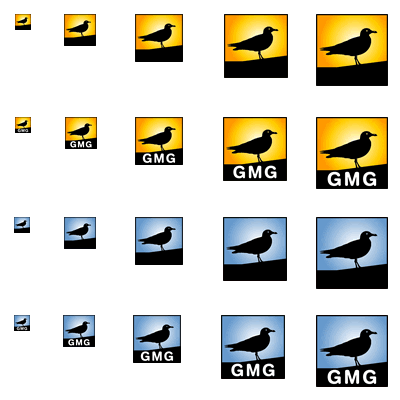
The previous set of favicons from part II

image

While Bill did a great job with the set of favicons produced above there was still some minor tweaking to create what would be in my mind the perfect set.

Firstly the yellow ones will not be used because as I said in part II blue is part of the GMG brand.

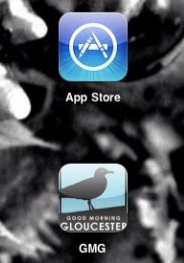
Secondly, I noticed that there is a blue  border around the favicons.  While that wouldn’t bother me, I noticed on my iPad that when Apple modifies icons for use as buttons on their screens that the rounded corners accentuate and make them look hacked as the borders appear and then disappear at the corners.

See a screen capture from my iPad to see what I mean-

image

It may be nit-pickey but if we’re going to live with it for a while don’t we want to do it right?

My email to Bill-

OK here’s the question Bill.  It seems but it just might be the way they get put on screen  that there is a black border around the edges.  When they get put onto an iPad or iPhone is it possible to rather nave no border and just the blue so when the devices round the corners you wouldn’t see those lines?
because in that case I would appreciate the larger ones blue with text bundles with the smaller ones without and actually I’m not sure if it was possible and I don’t want to be a total PITA but in the smaller ones take out the crooked black bar at the bottom all together and just have the blue background with the black silhouette of the seagull so that the seagull can be larger without the black crooked bar on the bottom.
So the smaller ones blue background with just the gull
the larger ones with the gull/crooked black bar on bottom with GMG text
again I want you to be perfectly honest and feel free to let me know if I’m asking too much.  I don’t want to be a PITA but i think I now understand the benefits of being able to bundle all these different style images for the different places they would reside.
oh and even if you dont feel like doing it, thanks, these have been interesting blog posts that I’ve been able to share with the readership (the process)


Here is the set Bill came up with based on my Pain in the Ass tweaking request-

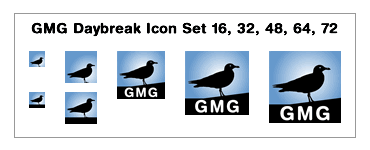
gmg_Bay_Break_Icon_Set_Round_2_8bit

Bill writes-

Joe, you’re not a PITA, you’re a ROYAL PITA!  Seriously, though, if I wasn’t enjoying this I wouldn’t be doing it.

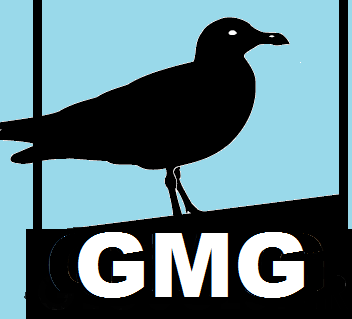
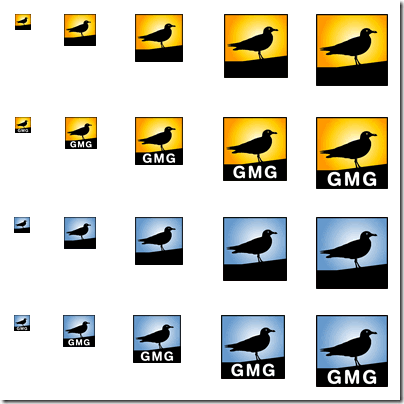
I think I understand what you are asking, so I made a new mock up.  The border edges have been removed.  Larger than 32×32 have the GMG text and the smaller versions are stripped out.  In the mock up you’ll notice the smaller icons have two versions.  One without the black band on the bottom and the other with it.  I did this because the ones without the band lowered the gull to the bottom edge of the image and it looked kind of funny to me [I’ve been tweaking these at a magnification of 500% so my perception of them is certainly skewed]. To raise the gull back up I had to add something for it to stand on.  I tried adding a column to represent a dock pillar, but it looked stupid at 16×16, so I opted for the flattened black band.  I just wanted you to have the opportunity to see the difference for the small ones and decide for yourself which one you prefer.

Also don’t forget this isn’t written in stone – and you can change for it in the future.  I was actually gonna suggest that you can add a set for each season with different color backgrounds behind the silhouette to represent the season: Spring=green, Summer=yellow, Fall=orange/red/brown, Winter=blue.

The aren’t technically icons yet, they’re just the mockups.  Once you’ve decided we’ll make them icons, bundle them into one icon, and test them out.  Testing is a whole other clusterf#!k.

Let me know what you think.

Thanks,
~Bill O’Connor
North Shore Kid

Drilling Down On The Perfect Set of Favicons With Bill O’Connor Part II

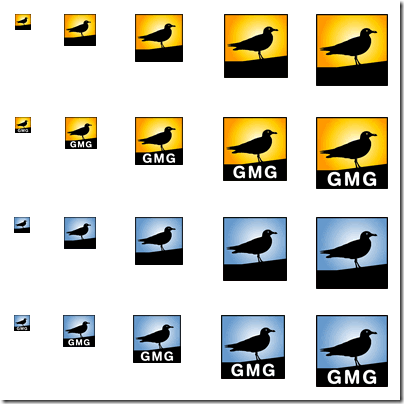
GMG_iconography8bit

Bill writes-

Joe,

Here’s a complete icon set in two flavors – yellow gradient background we’ll call ‘Sunrise’, and blue gradient background we’ll call ‘Daybreak’. Both icon sets are with lettering or without, and are rendered in the following sizes 16×16, 32×32, 48×48, 64×64, and 72×72.  72×72 is ipad sized.

You can bundle a set into one icon file (favicon.ico) that will allow systems and browsers to determine the best fit – instead of the one-size-fits-all approach.  I would suggest an icon bundle of one color where you use smaller icons with no text (16×16 & 32×32) and the rest of the larger icons in the bundle would have the GMG lettering.  Sort of a best of both world scenario.

Thanks,
~Bill O’Connor
North Shore Kid

Bill has been going above and beyond in helping to create the perfect favicon set for us.

OK now I’m going to start talking a little technical-

In case you don’t know why there are the different sizes provided in the set of favicons Bill sent, it is because the different sizes are recognized by browsers for placement on your device.

For example- the smallest ones are used in your browsers’ addresss bar up above or if you bookmark GMG in your Bookmarks Toolbar, the smallest favicon goes there.  If you add GMG’s bookmark to your iPhone, iPod Touch or Android Phone’s home screen, then the medium sized favicon is recognized automatically and placed as a button on your mobile device.   If you save a bookmark to GMG on your iPad’s home screen it will save the larger image as the button you would press to go directly to our blog.  So for the smaller ones where you are never going to be able to read the text because they are so tiny you can put the seagull without the text but on the favicon which would display larger and the text would be legible, you can add the GMG lettering below the seagull.  The way this is accomplished is by creating a file which contains each version of the different size you would like into one .ico file.  From wikipedia-

The ICO file format is an image file format for icons in Microsoft Windows. .ICO files contain one or more small images at multiple sizes and color depths.

I’m pretty sure we can toss out the yellow ones.  Even though they look nice, I’m all about branding and having it recognizable and changing our theme to yellow seems treasonous.  Right now I like the idea of the larger favicons with the GMG text below the seagull and and the smaller ones without but there are a few things that I think we need to be tweaked for perfection.

In the quest for the perfect set of favicons for GMG look for part III tomorrow where I ask for some tweaking to the set of favicons Bill produced which are shown above.

The adventure continues…

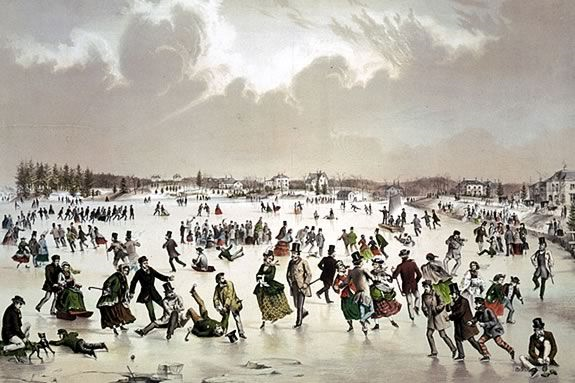
Chickity Check it! North Shore Kid Puts Together A Five Page North Shore Ice Skating List

image

Hey Joe,

Here’s our story on Ice Skating: http://northshorekid.com/story/ice-skating-north-boston-best-outdoor-indoor-ice-skating-families

There are a lot more places around the North Shore to skate!  If people want to make a suggestion for their favorite spot, we’d love to hear about them.  They can use this form:  Submit a Place to Skate

image

submitted by Bill O’Connor

North Shore Kid Wants You To Add To The Consummate Area Sledding List

image

Hey Joe,

We’re trying to compile a list of sledding hills around the North Shore here: http://northshorekid.com/story/sledding-hills-and-slopes-north-boston

Can you think of any in your area?  If you or anybody else you know have some hidden gems, we’d love to hear about it! They can use this form: http://northshorekid.com/sledding-hill-submission

North Shore Kid Reports About Tonight’s Snow Ball At Cruiseport

Click the pic for the details at North Shore Kid

image

Chickity Check It! North Shore Kid

image

Maybe all the moms and dads out there already know about this and I’m late to the game but just in case they aren’t in the know- this is IMO the definitive guide to what to do with your kids each week if you live North of Boston. 

It is comprehensive and very easy to navigate.  I’ve never seen such a well laid out and easy to understand calendar of things to do format on the web as this one.

I rarely get days off this time of year but when I do there are often times the Mrs and I will look at each other and ask “what do you want to do?”  My response 9 times out of 10-“I dunno, what do you want to do”

Let North Shore Kids be your guide and ease the pressure of finding great things to do with your family each and every week.  I’ll be adding in a link to the weekend pics roundup as well.

Here’s the link-

North Shore Kid